
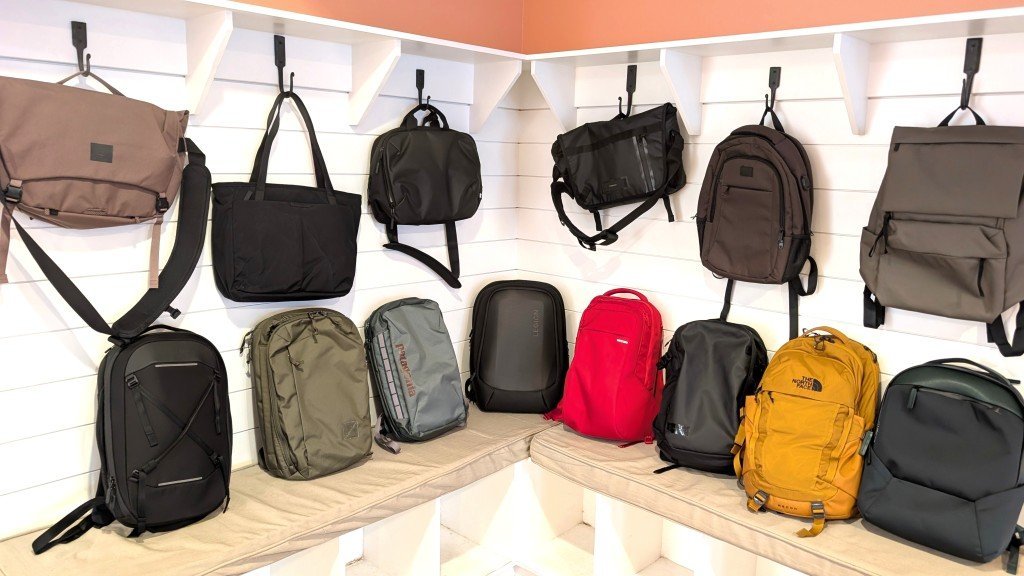
A standard 15-inch laptop fits into almost any backpack that can fit laptop models with dedicated padded sleeves. If your device is 17 inches or larger, you must choose a bag explicitly labeled for high-capacity storage to ensure the zipper closes securely.
Choosing a backpack that can fit laptop
- Measure your laptop screen diagonally to verify the exact size in inches.
- Check the backpack’s internal sleeve dimensions, not just the exterior bag volume.
- Look for a dedicated, suspended sleeve that keeps the device off the bottom.
- Choose a bag with at least 20 liters of capacity for daily school or work.
- Ensure the padding is at least 5 millimeters thick to absorb minor daily impacts.
Why device protection matters
The primary reason to use a dedicated compartment is physical isolation from the weight and movement of other items. A laptop is a high-precision tool with sensitive internal components like the hard drive and screen connectors. When you place a computer in a bag without a sleeve, it suffers constant pressure from books, water bottles, and accessories. This pressure often leads to cracked screens or damaged ports over time. A proper sleeve provides a structural barrier that distributes weight evenly across the back panel. Always check the manufacturer’s technical specifications for your specific device to confirm its external dimensions, as thin-bezel models may fit into smaller sleeves than older laptops with the same screen size.
When the answer is different
| Situation | What changes | What to do instead |
|---|---|---|
| Heavy rain | Water resistance | Use a waterproof rain cover |
| Air travel | Security checks | Use a TSA-friendly lay-flat bag |
| Gaming laptops | Weight and size | Choose a reinforced 30-liter pack |
| Frequent walking | Ergonomic support | Select a chest strap model |
| Minimalist carry | Sleeve size | Use a slim-profile laptop case |
How to do it properly
- Place your laptop on a flat surface and use a tape measure to check the height, width, and depth in total centimeters.
- Compare these measurements to the internal sleeve dimensions listed on the product tag; always allow a 2-centimeter buffer for easy insertion.
- Slide the laptop into the sleeve slowly to ensure the zipper teeth don’t scratch the casing or the screen during the process.
- Fasten the internal security strap if the bag includes one, as this prevents the device from sliding out during sudden bag movements.
- Position heavy items like books in the center of the main compartment, keeping them away from the side touching your laptop.
- Lift the bag by the top handle to check the balance; if it tilts sharply, reorganize your heavy items toward the center.
The mistakes that ruin it
- Overstuffing the main compartment, which puts excessive pressure on the laptop screen and can cause permanent panel damage.
- Placing liquid containers inside the bag without a leak-proof cap, which leads to catastrophic motherboard failure if a spill occurs.
- Leaving the laptop in a hot car for hours, which causes battery degradation and potential warping of plastic housing components.
- Using a bag without a bottom-padding gap, which causes the laptop to hit the floor hard every time you set the bag down.
Frequently asked questions
Can I use a regular backpack for a laptop?
Yes, you can use a regular bag if you add a separate, padded sleeve to protect the device. Without a sleeve, your laptop remains vulnerable to impact and scratches from other items inside the bag.
How long does a laptop sleeve last?
It lasts as long as the padding retains its thickness and the zipper functions correctly.
Is it safe to carry a charger with a laptop?
Yes, it’s safe as long as you keep the charger in a separate pocket. If the charger presses against the laptop screen, it can cause pressure marks or cracks during transit on a bus or train.
What happens if the sleeve is too big?
A sleeve that’s too big allows the laptop to shift during movement, which increases the risk of the device hitting the sides of the bag. Use a secondary sleeve or a soft cloth to fill the extra space.
Does it matter if the backpack is waterproof?
It matters if you commute in areas with frequent rain or snow. While most bags are water-resistant, they aren’t waterproof; you should seek a bag with sealed zippers if you carry your device outdoors often.
How much weight can a laptop backpack hold?
Final Thoughts
Before you make your final choice, head to a local store to test your device inside a few different bags. It’s the best way to see if the weight feels comfortable on your shoulders. You’ll be much happier once you’ve found a fit that doesn’t strain your back during long commutes.
Related guides