
If you need faster WiFi for a busy home, office, or small business, the Omada AX5400 6-Stream WiFi Access Point, w/DC Adapter, 2.5G Port (EAP670) is worth a close look.
This is not a normal WiFi router. It is a dedicated access point made for stronger wireless coverage and better network control. It uses WiFi 6, has a 2.5G Ethernet port, and supports both PoE+ and DC power.
The big draw is its AX5400 class speed. It can reach up to 4,804 Mbps on 5 GHz and 574 Mbps on 2.4 GHz under ideal conditions.
I also like the fact that it works with the Omada system. This gives you more control than many basic home WiFi products.
But it is not perfect for everyone.
If you only want a simple plug-and-play router, this may feel like too much. If you want a more flexible WiFi setup with multi-gig networking, it makes much more sense.
Quick Verdict
The Omada EAP670 is a strong WiFi 6 access point for users who want fast wireless speeds, a 2.5G wired connection, and advanced network control.
Its best features are the fast 5 GHz band, 2.5G Ethernet port, 160 MHz channel support, Omada management, and flexible power options.
The main thing to remember is that this is an access point, not a full router. You still need a router or gateway for the rest of your network.
My rating: 4.5 out of 5
Best For
- Home offices
- Small businesses
- Busy homes
- Multi-device networks
- Gigabit and multi-gig internet users
- Omada network users
- Users who want ceiling-mounted WiFi
- People building a larger WiFi system
Not Ideal For
- Users who only want a basic router
- Very small spaces with few devices
- Anyone who does not need advanced network features
- People without a suitable router or network gateway
Omada EAP670 at a Glance
| Feature | Details |
|---|---|
| Product | Omada EAP670 |
| WiFi Standard | WiFi 6 |
| WiFi Class | AX5400 |
| Bands | 2.4 GHz + 5 GHz |
| 2.4 GHz Speed | Up to 574 Mbps |
| 5 GHz Speed | Up to 4,804 Mbps |
| Combined Class Speed | Up to 5,378 Mbps |
| Ethernet | 1 × 2.5G RJ45 |
| Power | 802.3at PoE+ or DC |
| DC Adapter | Included |
| 160 MHz | Yes |
| MU-MIMO | Yes |
| OFDMA | Yes |
| WPA3 | Yes |
| Omada Management | Yes |
| Omada Mesh | Yes |
| Seamless Roaming | Yes |
| Mounting | Ceiling / Wall |
| Concurrent Clients | 250+ under stated conditions |
| Model | EAP670 |
What Is the Omada EAP670?
The Omada EAP670 is a business-style WiFi 6 access point from TP-Link.
That means it is designed to provide wireless connectivity while working with your existing router, gateway, switch, or network system.
This setup is different from a regular home router.
A normal router often combines several jobs in one box. It can handle routing, DHCP, firewall functions, switching, and WiFi.
The EAP670 focuses mainly on WiFi.
That makes it useful when you already have a good router and want to improve the wireless side of your network.
It can also become part of a larger Omada setup.
This is one of the reasons I see the EAP670 as more interesting for advanced users than casual users.
Design and Build
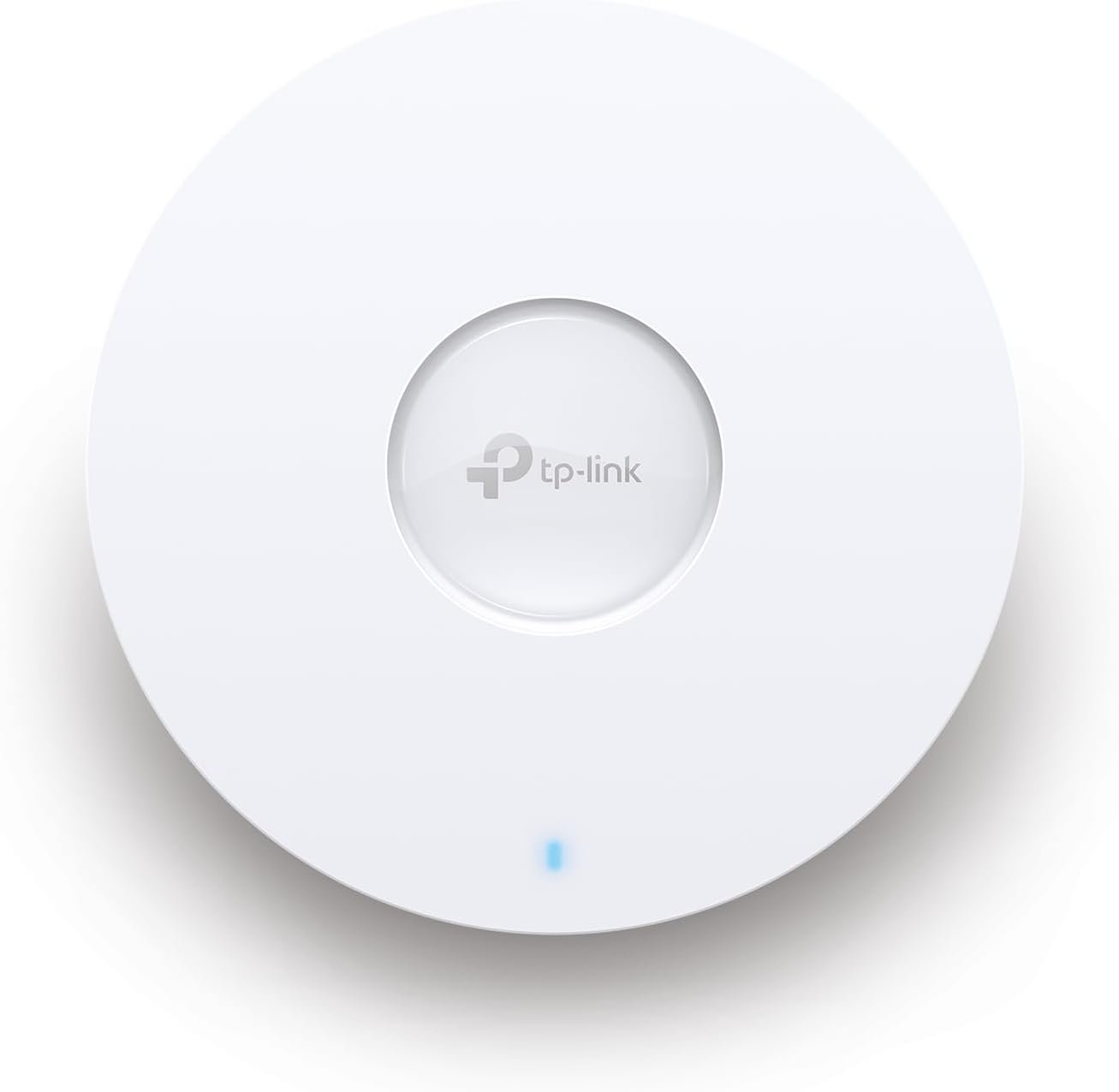
The EAP670 has a clean, round design that is made for ceiling or wall mounting.
It does not look like a gaming router with large antennas sticking out in every direction.
Instead, it has a low-profile access point design.
That makes it easier to place in an office, hallway, shop, or central part of a home.
The internal antennas also keep the outside design clean.
The EAP670 uses internal omni-directional antennas. The 2.4 GHz band uses two antennas, while the 5 GHz band uses four.
The mounting design is another strong point.
You can mount the unit on a ceiling or wall, depending on your network layout.
For a permanent WiFi setup, I prefer this style over placing a router on a desk.
It looks cleaner and can make it easier to put the access point in a more useful location.
WiFi 6 Performance
The main reason to consider the EAP670 is its WiFi 6 performance.
The 5 GHz band supports speeds up to 4,804 Mbps.
The 2.4 GHz band supports up to 574 Mbps.
Together, the advertised class speed reaches about 5,378 Mbps.
Of course, these numbers are not the same as the speed you will see in a normal internet speed test.
Wireless speed depends on your device, distance, interference, channel width, network traffic, and many other factors.
Still, the hardware gives the EAP670 plenty of room for high-speed wireless connections.
WiFi 6 also helps when many devices are connected.
That is important in modern homes.
A single network may have phones, laptops, TVs, cameras, tablets, smart speakers, game consoles, printers, and smart home devices running at the same time.
The EAP670 is built for that kind of environment.
2.5G Ethernet Port
One of my favorite features of this access point is the 2.5G Ethernet port.
This matters because a fast WiFi access point needs a fast wired connection.
A basic 1G Ethernet port can become a limit in some high-speed setups.
The EAP670 uses a 2.5G port instead.
That gives the wireless system more wired bandwidth to work with.
It is especially useful if you have multi-gig internet, a 2.5G switch, or fast local network storage.
There is only one Ethernet port, though.
That is normal for an access point.
You should not buy this expecting it to replace a multi-port network switch.
160 MHz Channel Support
The EAP670 supports 160 MHz channel bandwidth on compatible devices and network conditions.
This can help compatible WiFi 6 devices achieve higher wireless speeds.
It is one of the features that makes the EAP670 more attractive to users with newer laptops, phones, and other WiFi 6 hardware.
But there is a catch.
Wider channels can be more difficult to use in crowded wireless areas.
Nearby networks can create interference.
So I would not choose a 160 MHz channel simply because the option is available.
The best setting depends on your environment.
OFDMA and MU-MIMO
The EAP670 also supports WiFi 6 features such as OFDMA and MU-MIMO.
These features are useful when several devices are active at the same time.
OFDMA can help divide wireless resources more efficiently.
MU-MIMO allows the access point to communicate with multiple compatible devices more effectively.
You may not notice these features directly.
There is no special button you press to feel them working.
Their value becomes clearer when the network gets busy.
That makes them more important for a home with many connected devices or a small office with several users.
Coverage
TP-Link lists coverage of up to around 1,500 square feet under stated test conditions.
That number should not be treated as a promise for every home.
Walls, floors, building materials, interference, device placement, and client devices all affect real-world coverage.
A large house may need more than one access point.
A small open office may need only one.
The good news is that the EAP670 can work as part of a larger Omada system.
That gives you a better path to expand later.
Instead of buying a much larger and more expensive wireless box, you can use multiple access points where they are actually needed.
Omada Management
This is where the EAP670 becomes much more than a basic access point.
The Omada system gives you centralized network management.
Depending on the setup, you can manage the network through an Omada software, hardware, or cloud controller.
The Omada app also makes management easier for many users.
You can manage settings, check connected clients, adjust wireless options, and monitor the network from a central system.
This is useful if you have several access points.
Managing one access point is simple enough.
Managing three, five, or more can become annoying if every unit has to be configured separately.
A centralized system solves much of that problem.
Omada Mesh and Seamless Roaming
The EAP670 supports Omada Mesh and seamless roaming features.
This is helpful if you use more than one compatible access point.
Imagine walking from one area of a building to another.
With a properly configured multi-AP setup, your device can move between access points with less interruption.
This can be useful for video calls, streaming, and general mobile use.
Still, roaming is not magic.
The client device also plays a role.
Your network design matters too.
Good AP placement is just as important as the features themselves.
Security Features
The EAP670 offers several security and management features.
It supports WPA, WPA2, and WPA3 security options.
It also supports access control, wireless isolation, VLAN features, rogue AP detection, and 802.1X support.
These features are especially useful in business environments.
For example, you may want employees, guests, and IoT devices on separate network segments.
That is much easier to manage with VLAN support and a suitable network setup.
Home users may not need every feature.
But having them available is still a big advantage.
Guest WiFi
Guest WiFi is another useful feature.
You can create a separate wireless network for visitors instead of giving them access to your main network.
This is a simple way to improve network organization.
For a small business, it can be even more useful.
You could have separate networks for staff, guests, and other devices.
The EAP670 supports multiple SSIDs, giving you room to create different wireless networks for different needs.
Power Options
The EAP670 supports 802.3at PoE+.
This is useful for clean installations.
With PoE+, a compatible Ethernet connection can carry both network data and power.
That means you may not need a separate power cable at the access point.
This is ideal for ceiling mounting.
But the model in this review also includes a DC power adapter.
That gives you another option.
If your switch does not provide PoE+, you can use the included adapter instead.
I like this flexibility because it makes the product easier to use with different network setups.
Setup Experience
The EAP670 is not difficult to install, but it is different from setting up a normal home router.
You first need to connect it to your network.
Then you configure the access point through the appropriate Omada management method.
If you already understand basic networking, the process should feel familiar.
If you are new to access points, VLANs, controllers, and managed networks, there may be a learning curve.
That is not really a flaw.
The extra setup exists because the product offers more control.
Still, beginners should know what they are buying before choosing it.
Is the EAP670 Good for a Home?
Yes, but it depends on your home.
For a small apartment with only a few WiFi devices, I would probably not choose a business-style access point like this.
A normal WiFi router may be simpler.
But for a larger home, home office, smart home, or multi-AP network, the EAP670 makes more sense.
It can provide fast WiFi while giving you more control over the network.
It is also a good choice if you already have an Omada router or switch.
Is the EAP670 Good for a Small Business?
This is where the EAP670 really makes sense.
A small business may have many connected devices.
Employees may use laptops and phones.
There may also be printers, cameras, VoIP devices, smart devices, and guest users.
A basic consumer router can become difficult to manage in this type of environment.
The EAP670 gives you better control.
The 2.5G port is also useful for newer network infrastructure.
If you plan to use several access points, the centralized Omada system becomes even more valuable.
Gaming Performance
The EAP670 can be a good choice for gaming, especially when the wired network behind it is fast.
WiFi 6 can provide strong wireless performance for compatible gaming devices.
The 5 GHz band is the main attraction for modern gaming devices.
However, gamers should not expect an access point to fix every latency problem.
Internet routing, ISP performance, server distance, interference, and the game server itself can all affect ping.
A wired connection is still the best option when the lowest possible latency matters.
For wireless gaming, though, the EAP670 has the right type of hardware.
Streaming and 4K Video
The EAP670 is also well suited to high-bandwidth streaming.
A strong 5 GHz connection can handle demanding video traffic when the client device is compatible and the wireless environment is good.
This is especially useful when several people are streaming at once.
The access point’s WiFi 6 features also help make better use of the available wireless capacity.
Again, actual performance depends on the complete network.
The EAP670 cannot make a slow internet plan faster.
It can only help your local wireless network use available bandwidth more effectively.
Smart Home Use
Modern smart homes can have dozens of connected devices.
Cameras, lights, locks, sensors, speakers, TVs, appliances, and other products can all share the same network.
The EAP670’s support for many clients makes it a good fit for a busy wireless environment.
Its VLAN and SSID features can also help advanced users separate smart home devices from computers and phones.
That can improve network organization and security.
For a simple smart home, however, these features may be more than you need.
Pros and Cons
Pros
- Fast AX5400-class WiFi 6 performance
- Up to 4,804 Mbps on 5 GHz
- 574 Mbps maximum on 2.4 GHz
- 2.5G Ethernet port
- Supports 160 MHz channels
- OFDMA and MU-MIMO support
- Omada centralized management
- Omada Mesh support
- Seamless roaming support
- WPA3 security
- VLAN support
- PoE+ support
- DC adapter included
- Ceiling and wall mounting
- Good choice for busy networks
- Strong fit for small businesses
Cons
- It is not a full router
- One Ethernet port
- Advanced features may be too much for beginners
- Best features need compatible Omada equipment or controller setup
- Real WiFi speed will be lower than advertised link rates
- Coverage depends heavily on the building
- 160 MHz performance depends on the wireless environment
- May be unnecessary for a small home with few devices
Omada AX5400 6-Stream WiFi Access Point Reviews: What Should You Know?
When people search for Omada AX5400 6-Stream WiFi Access Point, w/DC Adapter, 2.5G Port (EAP670) reviews, they should first understand what this product is.
It is an access point.
It is not a traditional all-in-one WiFi router.
That difference is important.
If you already have a router and want a powerful wireless access point, the EAP670 can be a very good match.
If you want one box that handles your entire home network, you may want a router instead.
The EAP670 makes the most sense when its networking features match your setup.
What I Like Most About the EAP670
The 2.5G port stands out to me.
It gives the access point a faster wired connection than standard gigabit Ethernet.
I also like the flexible power options.
PoE+ is excellent for clean ceiling installations, while the included DC adapter makes the unit easier to deploy without PoE hardware.
The Omada ecosystem is another major advantage.
It gives users room to grow.
You can start with one access point and build a larger network later.
What I Would Change
The biggest limitation is not really the hardware.
It is the learning curve.
The EAP670 offers many features, but those features can make the product feel more complex than a normal home router.
I would also like users to understand that advertised WiFi speeds are theoretical maximum link rates.
Real-world speeds will always depend on the device and environment.
That is true for nearly every WiFi product, but it is worth keeping in mind when looking at an AX5400 device.
Who Should Buy the EAP670?
I would consider the EAP670 if you:
- Need strong WiFi 6 performance
- Have a multi-gig network
- Want a 2.5G Ethernet connection
- Have many wireless devices
- Run a home office
- Own a small business
- Want ceiling-mounted WiFi
- Plan to use multiple access points
- Want centralized network management
- Like having advanced network controls
- Already use the Omada ecosystem
Who Should Skip It?
I would skip the EAP670 if you:
- Only need basic WiFi
- Have a very small apartment
- Have only a few connected devices
- Do not want to learn network management
- Need a full router in the same device
- Do not have a suitable network gateway
- Have no need for 2.5G networking
A simpler WiFi router may be a better choice in those cases.
Frequently Asked Questions
Is the Omada EAP670 a router?
No. The EAP670 is a dedicated WiFi access point.
You normally use it with a router, gateway, or other network equipment.
Does the EAP670 support WiFi 6?
Yes. The EAP670 is a dual-band WiFi 6 access point.
What is the maximum speed of the EAP670?
The advertised wireless rates are up to 574 Mbps on 2.4 GHz and 4,804 Mbps on 5 GHz.
Does the EAP670 have a 2.5G port?
Yes. It has one 2.5 Gigabit Ethernet port.
Does the EAP670 include a power adapter?
Yes. The version covered here includes a DC power adapter.
Can the EAP670 use PoE?
Yes. It supports 802.3at PoE+.
Can I mount the EAP670 on a ceiling?
Yes. It supports ceiling mounting and includes mounting hardware.
Can I use the EAP670 on a wall?
Yes. Wall mounting is also supported.
Does the EAP670 support WPA3?
Yes. WPA3 is supported.
Does the EAP670 support VLANs?
Yes. VLAN-related features are available for more advanced network setups.
Does the EAP670 support mesh WiFi?
Yes. It supports Omada Mesh when used with compatible Omada equipment.
Is the EAP670 good for gaming?
Yes, it can be a strong wireless option for gaming. However, wired Ethernet is still preferred when the lowest latency is the main goal.
Is the EAP670 good for a large house?
It can be, but one access point may not cover every large home well. Multiple access points can be used in a properly designed Omada network.
How many devices can connect to the EAP670?
TP-Link lists support for 250+ concurrent clients under its stated conditions. Actual capacity depends on traffic, device types, and the wireless environment.
Does the EAP670 support 160 MHz?
Yes. It supports 160 MHz channel bandwidth on compatible setups.
Does the EAP670 work with older WiFi devices?
Yes. It supports older WiFi standards as well as WiFi 6.
Is the EAP670 easy for beginners?
The basic installation is manageable, but the advanced Omada features may require some networking knowledge.
Final Verdict
The Omada AX5400 6-Stream WiFi Access Point (EAP670) is a strong choice for users who want more than basic WiFi.
Its biggest strengths are clear.
You get fast WiFi 6 performance, a 2.5G Ethernet port, 160 MHz support, advanced wireless features, flexible power options, and access to the Omada management system.
The included DC adapter is also useful if your network does not have PoE+.
What makes the EAP670 stand out is not just speed.
It is the overall network flexibility.
You can use it as part of a more advanced home network or a small-business WiFi system. You can also add more compatible access points as your needs grow.
The main downside is that it is not an all-in-one router.
You need other network equipment.
For a simple home network, that may feel unnecessary.
For a busy home office, multi-gig network, or small business, it can be exactly what you need.
My final rating: 4.5/5
If your goal is fast WiFi 6 with 2.5G networking and better control over your wireless network, the EAP670 is a very capable option worth considering.